
GUIDE
How We Cloned a YC Startup’s Website in Minutes
A practical walkthrough of how AI-assisted browsing, MCPs and modern coding tools can dramatically speed up website prototyping.
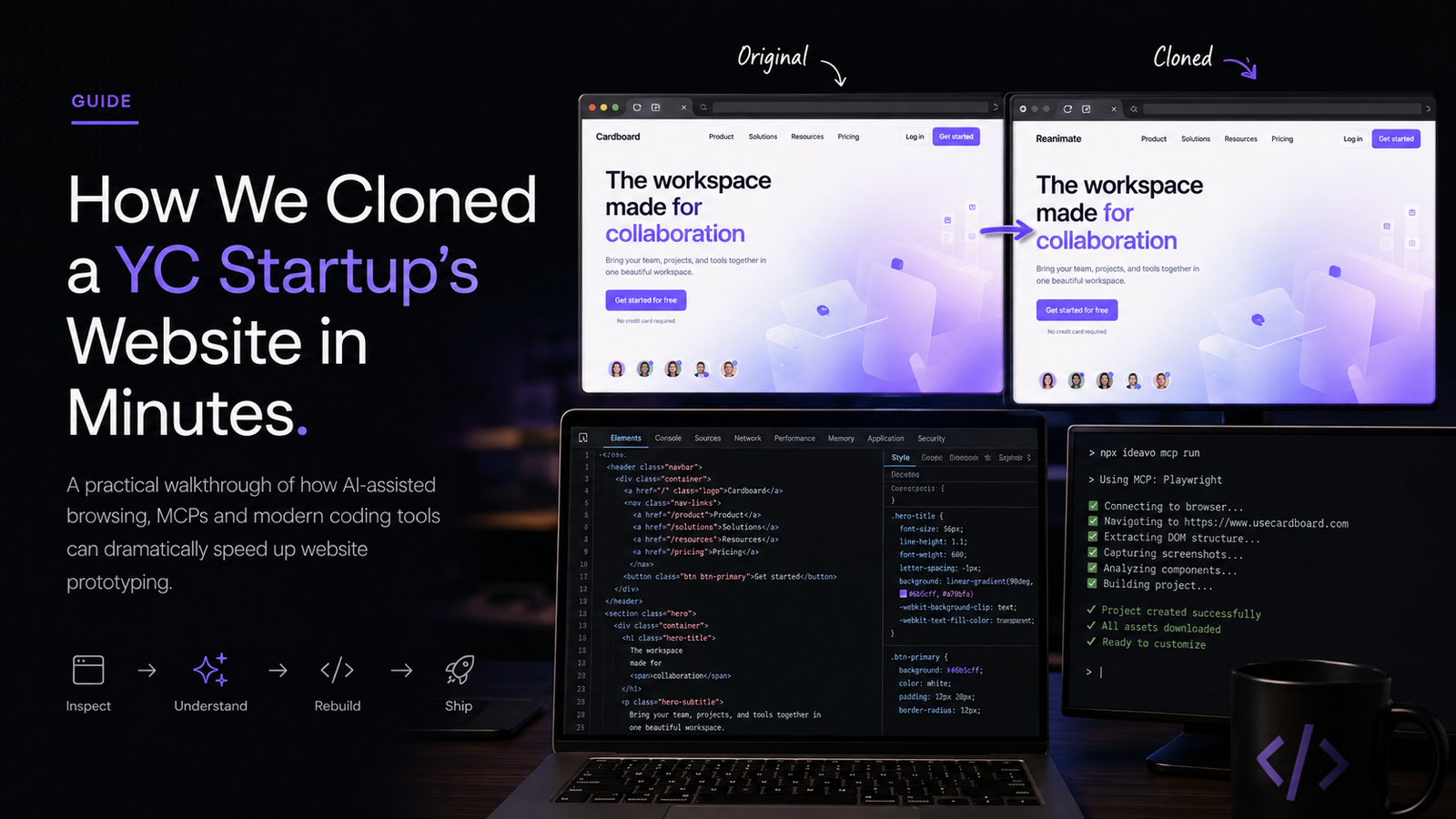
Rebuilding a polished startup website traditionally meant starting from a blank canvas: recreate the layout, identify the right assets, reproduce the animations, tune the spacing, and then spend another round of time fixing the details that only become obvious once everything is on screen.
For a recent experiment, we took a YC startup’s website, usecardboard.com, and rebuilt its structure using an AI-assisted development workflow.
The interesting part wasn't that an AI could generate a website.
It was how quickly we could move from looking at an interface we liked to having a working prototype that reproduced its underlying structure.
That distinction matters.
When a product in your space has already worked through the hard interface decisions-navigation, hierarchy, animation, conversion flow-you don't necessarily need to begin from a blank page.
You can study what works, reproduce the underlying structure, and then adapt it to your own product.
That makes prototyping considerably faster.
The two websites
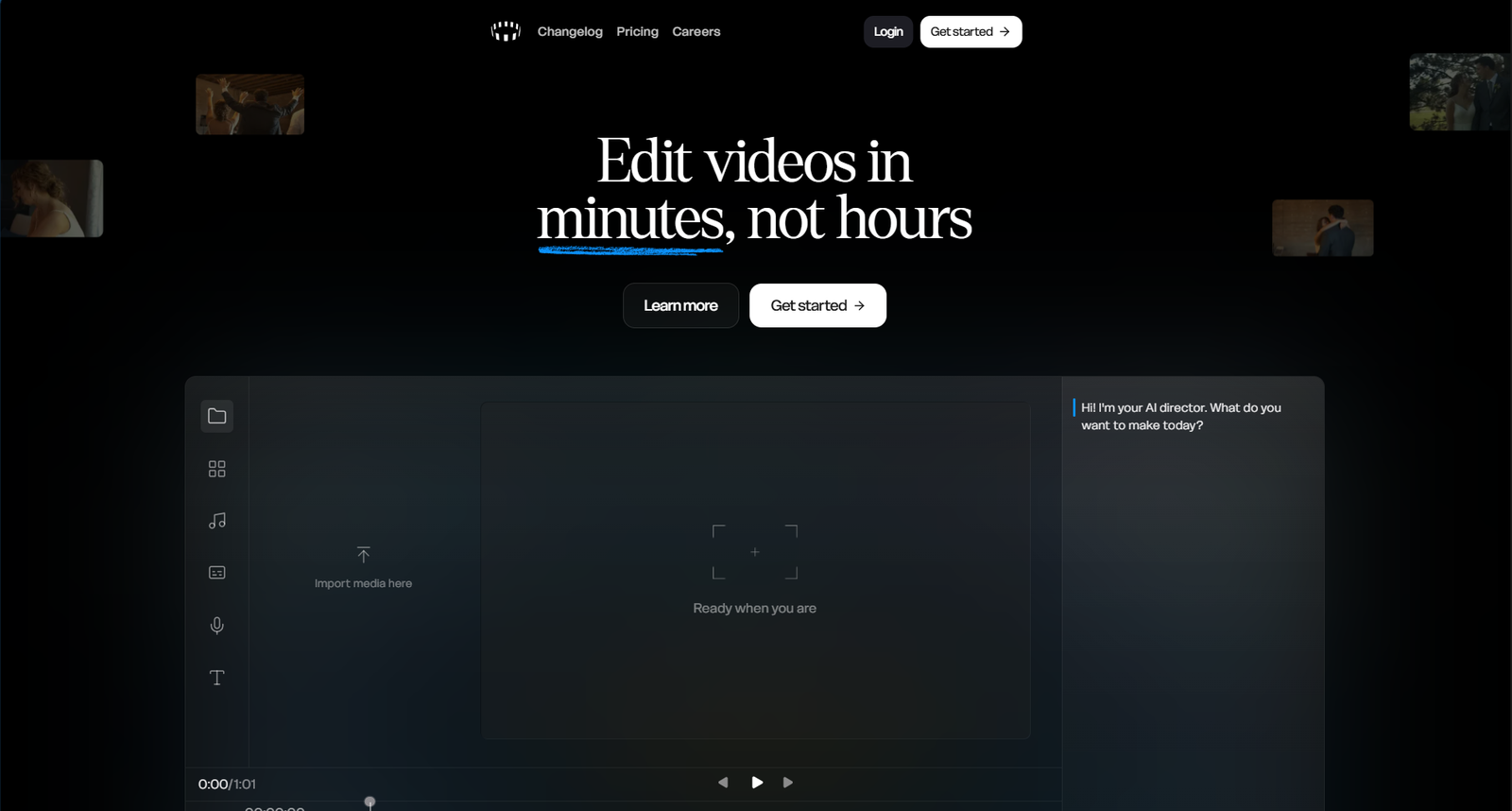
We started with the original site:
Original
https://www.usecardboard.com/Cloned version
https://reanimate.sh/usecardboard.com
reanimate.sh
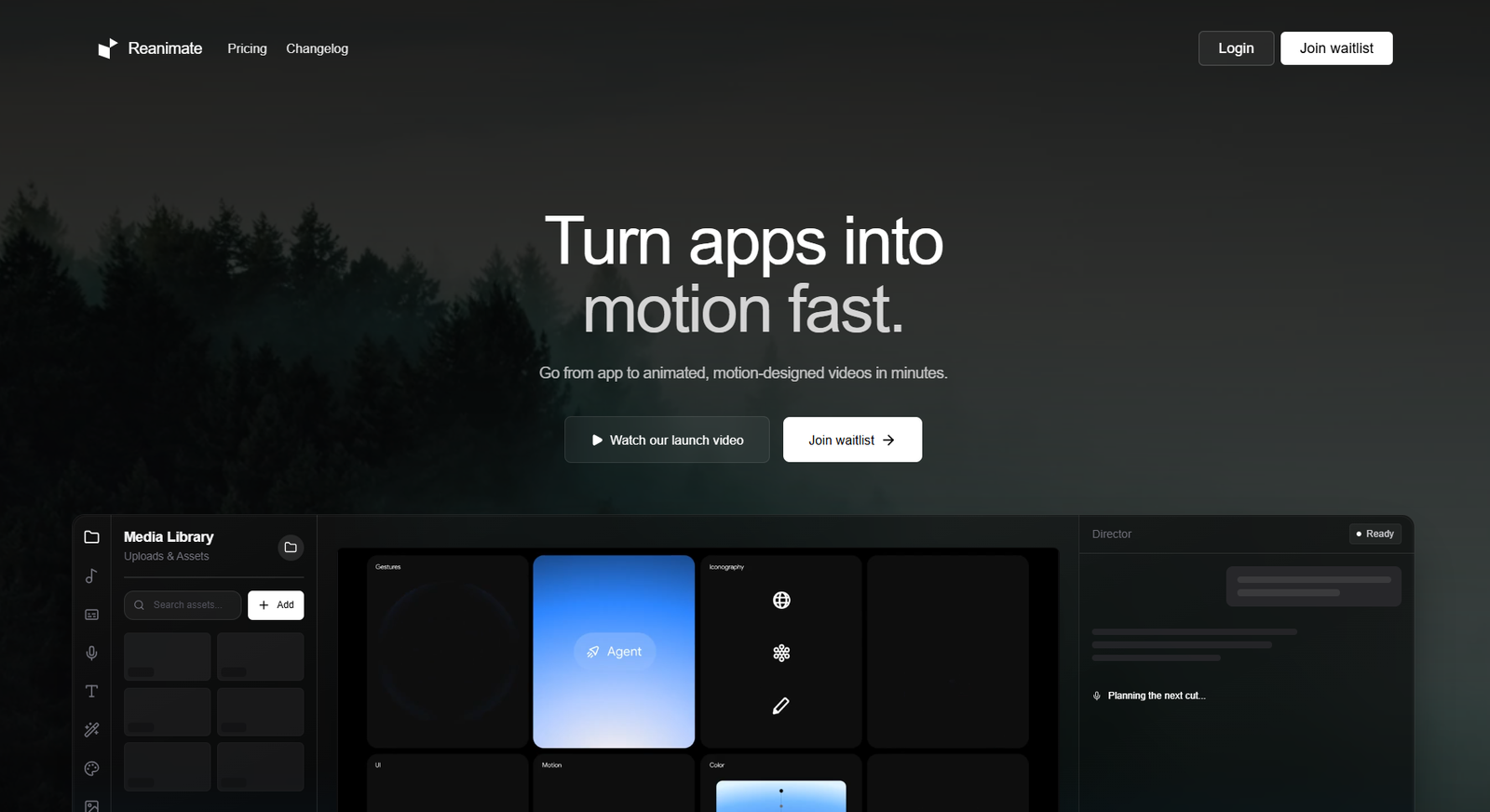
The goal was to reproduce the structure and interaction patterns, not simply duplicate the visual identity.
A good landing page already contains a series of decisions about hierarchy, movement and user flow.
Those decisions are worth studying.
The stack
For the experiment, we used IDEAVO as the development environment.
One useful part of the setup is that you can connect your own API keys and work with multiple model providers rather than committing to a separate subscription for every provider.
The workflow supported providers including:
There is one important limitation: the Code Editor and MCP connection require the paid version.
That matters because MCPs are what make the browser-inspection part of this workflow particularly useful.
Connecting your API key
The setup itself is straightforward.
Open IDEAVO and go to Settings in the bottom-left corner.
Select your provider, paste in your API key, save it, and start building.
The original workflow also suggests OpenCode's subscription, described as providing approximately $300 in credits for $5 during the first month and $10 from the second month onward. Treat those figures as the pricing referenced in this workflow rather than a permanent pricing claim.
The part that changed the workflow: MCPs
The model can write code.
That's not the difficult part anymore.
The harder problem is giving it enough context to understand what it is supposed to rebuild.
For this experiment, we used either:
The difference is important.
A screenshot tells a model what a page looks like.
A browser gives it evidence about how that page behaves.
With browser access, the model can inspect things such as:
- layout relationships
- responsive behavior
- animations
- component structure
- navigation
- interactive states
That additional context changes the quality of the reconstruction.
Instead of asking the model to infer everything from a static image, you're giving it a way to inspect the site itself.
For a visual prototype, that is a much better starting point.
The original workflow notes that MCP support is currently available only on the paid version.
The model
We used GPT-5.5.
You could also use GPT-5.4 or another capable model.
But the model is only one part of the equation.
A strong model looking at incomplete information can still produce a mediocre result.
A strong inspection workflow gives the model much more useful context to work with.
Start with the reference
The first prompt was intentionally simple:
Clone this website pixel-perfect, usecardboard.com.

Use Firecrawl or Playwright MCP.
The goal of this first pass isn't perfection.
It's to get a working reconstruction on the screen quickly.
Once something exists, you can inspect it, compare it with the original, and start fixing the actual differences instead of speculating about them.
When the first pass isn't right
The first output may be close without being correct.
That's normal.
Instead of rewriting the entire prompt, give the model a clear correction:
No, the website is not built correctly.

Create a pixel-perfect clone of the following website:

usecardboard.com

Use Playwright or Firecrawl MCP.
The important part is not the wording itself.
It's the feedback loop.
You are moving from:
generate → inspect → identify → correct
rather than trying to produce a perfect result in one prompt.
Then fix the details
Once the overall structure is there, the remaining problems tend to become much easier to identify.
For example:
These are the mistakes that need to be corrected:

- fix navbar spacing
- animation timing is incorrect
- footer layout mismatch

Kindly make these changes.
This is where the workflow becomes practical.
You don't need to tell the model to “make it better.”
You can point to the exact thing that is wrong.
Maybe the navbar is 12 pixels too loose.
Maybe an animation begins too early.
Maybe the footer doesn't follow the original structure.
The shorter and more concrete the feedback, the easier it is to iterate.
The first output is rarely the final one
A first pass has one major advantage: it gives you something concrete to criticize.
You can stop saying, “the page doesn't feel right,” and start saying, “this section begins too early,” or “the footer spacing doesn't match.”
That changes the nature of the work.
You're no longer designing from scratch.
You're comparing two implementations and closing the gap between them.
A useful loop looks like this:
Inspect → Identify → Correct → Compare → Repeat
The process gets faster because every iteration removes a specific difference.
Why this matters
The bigger implication isn't that AI can generate webpages.
It already can.
The more interesting shift is that you can now take an existing product, study how its interface works, reproduce a functional approximation, and begin experimenting with it much earlier in the process.
That changes the economics of prototyping.
A founder can get from an idea to a working concept sooner.
A freelancer can test a direction before investing heavily in production work.
An agency can explore multiple interface directions without rebuilding common patterns from zero.
A developer can use the process as a way to understand how a polished interface is assembled.
The value is less about copying a finished page and more about shortening the distance between reference, implementation and iteration.
The better way to think about cloning
The useful lesson isn't:
“AI can copy websites.”
It's:
“AI can compress the time it takes to study and prototype an interface.”
A well-designed website has already answered a number of questions for you.
Where does the user's attention go first?
How are sections ordered?
How does navigation behave?
What interaction happens when something is clicked?
Where does the site ask for an action?
Those are useful things to study.
You can learn from those decisions without copying the company's identity.
- Change the branding.
- Replace the assets.
- Rewrite the content.
- Change the product logic.
Then build something that belongs to you.
The takeaway
The blank canvas is becoming less important.
A working reference, a browser-inspection workflow and a capable coding model can take you surprisingly far in a short amount of time.
But the real advantage isn't simply speed.
It's the ability to learn faster, test more ideas, reject weak directions earlier, and get to something tangible before the idea goes cold.
For founders, freelancers, agencies and developers building MVPs, that's the part worth paying attention to.
Study the structure.
Understand why it works.
Change what needs changing.
Then make it your own.
WANT TO BUILD FASTER?
GreatSkills is a community for people who are learning, building and sharing practical workflows.
A note on responsible use
Use this workflow for learning, prototyping and experimentation. When working from another company's website, don't copy proprietary content, branding, images, source code or other protected material without permission; the useful target is the underlying interaction and product structure, not someone else's identity.
In this guide
01 Websites
02 The stack
03 MCPs
04 The model
05 The prompts
06 Why this matters
07 The takeaway